在做一个H5的移动web项目的时候,需要分享功能,之前一直是使用通用自由选择版调用,并且是在pc的web端分享使用。这次的H5项目时是第一次在手机端使用,为了更好地用户体验,很多webapp都是使用第三方的jssdk分享,但是这些jssdk要求都是在相应的IOS和Android的外壳下运行的移动web,因此无法满足这次的项目需求,最终还是选择了百度分享,分享的样式部分参考了美拍的移动web端的页面效果,分享的js使用百度分享的专业开发版。
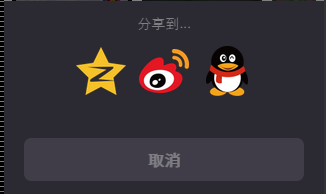
页面效果截图如下:
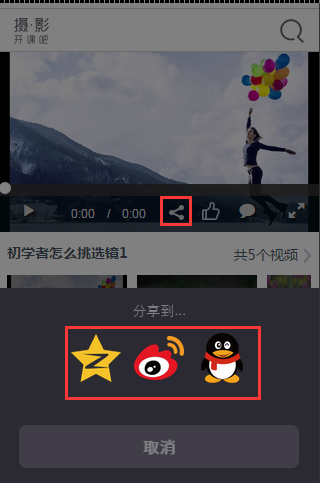
百度默认的分享样式不是我们的想要的效果,所以需要自己调整一下样式如下:
css样式:
/*--------------分享---------------*/
.module-share-1,.module-share-2{height:195px;width:100%;background:#2b2931;position:fixed;bottom:-195px;left:0;text-align:center;z-index:12}.module-share-2{height:248px;bottom:-248px}.module-share-1-show{-webkit-transition:-webkit-transform .3s ease-in,opacity .4s;transition:transform .3s ease-in,opacity .4s;-webkit-transform:translate3d(0,-195px,0);transform:translate3d(0,-195px,0);opacity:1}.module-share-hide{-webkit-transition:-webkit-transform .3s ease-in,opacity .4s;transition:transform .3s ease-in,opacity .4s;-webkit-transform:translate3d(0,0,0);transform:translate3d(0,0,0);opacity:0}.module-share-2-show{-webkit-transition:-webkit-transform .3s ease-in,opacity .4s;transition:transform .3s ease-in,opacity .4s;-webkit-transform:translate3d(0,-248px,0);transform:translate3d(0,-248px,0);opacity:1}.module-share-h3{font-size:14px;color:#807f83;height:45px;line-height:45px}.module-share-wrap{width:100%;padding:0 5px}.module-share-content{height:77px;width:100%;overflow:hidden}.module-share-list{height:77px;position:relative;margin:0 auto}.module-share-list a{padding:0 8px 0 5px;width:80px;height:77px;position:relative;display:inline-block;text-align:center;color:#fff}.module-share-list p{position:absolute;left:3px;bottom:3px;width:70px}.module-wx-tip-i,.module-wx-tip-a{position:fixed;left:0;right:0;top:0;z-index:12;background-color:#2b2931;background-size:auto 100%;background-repeat:no-repeat;background-position:right top;color:#959498}.module-wx-tip-i{height:160px;background-image:url(../img/wx-tip-i.jpg?1)}.module-wx-tip-i-div,.module-wx-tip-a-div{position:absolute;bottom:20px;right:87px;font-size:14px}.module-wx-tip-a{height:120px;background-image:url(../img/wx-tip-a.jpg?1)}.module-wx-tip-a-div{font-size:13px;right:97px;bottom:30px}.module-share-btn-wrap{padding:15px 20px}.module-share-cancel,.module-share-repost{display:block;height:43px;line-height:43px;padding:0 20px;background:#625e6b;color:#fff;border-radius:7px;font-size:16px}.module-share-repost{background:#fa4d9f;margin:0 0 10px}
.m-icon-qq{background: url(../img/ico_qq@2x.png) center center no-repeat !important; background-size:contain !important;}
.m-icon-qzone{background: url(../img/ico_qzone@2x.png) center center no-repeat; background-size:contain !important;}
.m-icon-wb{background: url(../img/ico_wb@2x.png) center center no-repeat; background-size:contain !important;}
.m-icon-share{width: 50px; height: 50px;}
.micon{ display: inline-block;}
.share_btn{ width:100%; opacity:.4; text-shadow:none;}
.share_icos{ position:relative; display:inline-block;}
.bdshare-button-style0-32 a{width:50px !important; height:50px !important; float:none !important; font-size: 14px; padding:0 !important; line-height:50px !important; margin:0 5px !important;}
.bdshare-button-style0-32 .bds_sqq{background: url(../img/ico_qq@2x.png) center center no-repeat !important; background-size:contain !important;}
.bdshare-button-style0-32 .bds_qzone{background: url(../img/ico_qzone@2x.png) center center no-repeat !important; background-size:contain !important;}
.bdshare-button-style0-32 .bds_tsina{background: url(../img/ico_wb@2x.png) center center no-repeat !important; background-size:contain !important;}
.bdsharebuttonbox{ text-align:center;}
.bds_wx{background: url(../img/ico_wx@2x.png) center center no-repeat !important; background-size:contain !important;}
页面的弹出层使用的是bootstrap的模态窗如下:
html代码:
<!--share Modal -->
<div class="modal fade" id="myModal2" tabindex="-1" role="dialog">
<div class="module-share-1 module-share-1-show" id="shareModule" data-page-class="page-blur" data-animate-class="module-share-1-show,module-share-hide">
<h3 class="module-share-h3">分享到...</h3>
<div class="module-share-wrap box">
<div class="module-share-content">
<div class="bdsharebuttonbox" id="moduleMediaShareList" data-tag="share_1"><a class="share_icos bds_qzone" data-cmd="qzone">
<i class="micon m-icon-share m-icon-qzone"></i></a>QQ空间
<a class="share_icos bds_tsina" data-cmd="tsina">
<i class="micon m-icon-share m-icon-wb"></i></a>微博
<a class="share_icos bds_sqq" data-cmd="sqq">
<i class="micon m-icon-share m-icon-qq"></i></a>QQ好友
<a class="share_icos bds_wx disno" onclick="_system._guide(true)">
<i class="micon m-icon-share m-icon-wx"></i></a>微信</div>
</div>
</div>
<div class="module-share-btn-wrap box"><button class="close share_btn" type="button" data-dismiss="modal"><span class="module-share-cancel js-btn" id="shareModuleCancel">取消</span></button></div>
</div>
</div>
此处的微信分享只有在微信里打开才显示,这个方法 onclick="_system._guide(true)" 是引导微信分享。
小伙伴们不要着急,下面才是本文分享的重点,自定义设置不同媒体分享不同内容的方法:
下面是分享的项目中源码,由于是要获取分享标题是动态内容,采用的是ajax请求返回的数据,因此需要在返回成功后success:function(data)调用百度分享的方法,这里使用的是百度的百度分享的专业开发版。
百度分享专业版API文档:http://share.baidu.com/code/advance
点击分享时对分享内容动态修改的api方法如下:
| onBeforeClick | function | function(cmd,config){} | 在用户点击分享按钮时执行代码,更改配置。 cmd为分享目标id,config为当前设置,返回值为更新后的设置。 |
分享目标id
分享媒体id对应表
| 名称 | ID |
|---|---|
| 一键分享 | mshare |
| QQ空间 | qzone |
| 新浪微博 | tsina |
| 人人网 | renren |
| 腾讯微博 | tqq |
| 百度相册 | bdxc |
| 开心网 | kaixin001 |
| 腾讯朋友 | tqf |
| 百度贴吧 | tieba |
| 豆瓣网 | douban |
| 搜狐微博 | tsohu |
| 百度新首页 | bdhome |
| QQ好友 | sqq |
| 和讯微博 | thx |
| 百度云收藏 | bdysc |
| 美丽说 | meilishuo |
| 蘑菇街 | mogujie |
| 点点网 | diandian |
| 花瓣 | huaban |
| 堆糖 | duitang |
| 和讯 | hx |
| 飞信 | fx |
| 有道云笔记 | youdao |
| 麦库记事 | sdo |
| 轻笔记 | qingbiji |
| 人民微博 | people |
| 新华微博 | xinhua |
| 邮件分享 | |
| 我的搜狐 | isohu |
| 摇篮空间 | yaolan |
| 若邻网 | wealink |
| 天涯社区 | ty |
| fbook | |
| twi | |
| 复制网址 | copy |
| 打印 | |
| 百度个人中心 | ibaidu |
| 微信 | weixin |
| 股吧 | iguba |
根据分享的目标id判断分享的媒体类型,分别设置分享的自定义内容
onBeforeClick: function(cmd,config){
if(cmd == "qzone"){
return{
bdText:bds_qzone,
bdDesc:bds_qzone
}
}else if(cmd == "tsina"){
return{
bdText:bds_tsina,
bdDesc:bds_tsina
}
}else if(cmd == "sqq"){
return{
bdText:bds_sqq,
bdDesc:bds_sqq
}
}
具体的项目中分享代码如下:
js分享代码:
<!-- share -->
<script>
$(function(){
var showvId = _nameStorage.getItem("vId");
var showauthorId = _nameStorage.getItem("authorId");
$.ajax({
type:"get",
url:path + "smallPhotography/channel/watchVideo.action",
data:{"videoId":showvId,"authorId":showauthorId},
contentType: "application/x-www-form-urlencoded; charset=utf8",
dataType: "json",
success:function(data){
var bds_qzone = '['+data.resultInfo.vTitle+']更多相关摄影技巧,尽在摄影•开课吧';
var bds_tsina = '我在开课吧看视频《['+data.resultInfo.vTitle+']》['+path+'html/show.html?showvId=' + showvId + "&showauthorId=" + (showauthorId == null ? "" : showauthorId)+']#专注前沿摄影技巧,就在<摄影•开课吧>#';
var bds_sqq = data.resultInfo.vTitle + '-摄影•开课吧';
var bdTextC = data.resultInfo.vTitle + '-摄影•开课吧';window._bd_share_config = {
//此处添加分享具体设置
common : {
bdText : bdTextC,
bdDesc : bdTextC,
bdUrl : path+'html/show.html?showvId=' + showvId + "&showauthorId=" + (showauthorId == null ? "" : showauthorId),
bdPic : data.resultInfo.vCoverUrl,
onBeforeClick: function(cmd,config){
if(cmd == "qzone"){
return{
bdText:bds_qzone,
bdDesc:bds_qzone
}
}else if(cmd == "tsina"){
return{
bdText:bds_tsina,
bdDesc:bds_tsina
}
}else if(cmd == "sqq"){
return{
bdText:bds_sqq,
bdDesc:bds_sqq
}
}}
},
share : [{
"tag" : "share_1",
"bdSize" : 32
}],
image : [{
viewType : 'list',
viewPos : 'top',
viewColor : 'black',
viewSize : '32',
}]
}
//以下为js加载部分
with(document)0[(getElementsByTagName('head')[0]||body).appendChild(createElement('script')).src='http://bdimg.share.baidu.com/static/api/js/share.js?cdnversion='+~(-new Date()/36e5)];
}
});
});
</script>
<script type="text/javascript">
//判断微信
$(function(){
if(isWeiXin()){
$(".bds_wx").removeClass("disno");
}
});function isWeiXin(){
var ua = window.navigator.userAgent.toLowerCase();
if(/MicroMessenger/i.test(ua)){
return true;
}else{
return false;
}
}
</script>


文章评论